An AI chief of staff that does the chasing for you.

We set up Viktor inside your Slack and automate the check-ins, follow-ups, onboarding and client reports your team does by hand.

Book a call

Still have doubts? See how it would run in your Slack.

Jump to the job you care about. Each chapter shows that exact job happening in Slack.

Chapters

Read the transcript

How many times this week did you type "any update?"

Every morning starts the same. Who finished their tasks? What's overdue? How did the ads do? Where are we with the new client? So you ask. You wait. You ask again. That chasing is the ceiling. More clients means more people, just to keep track.

So we set up an AI chief of staff inside your Slack. It's called Viktor, and you message it like a teammate.

How are the ads doing today? It pulls the numbers and answers in the thread. Sales and profit so far today? Same. Who's behind? It checks the task records and lists what's done and what's overdue. Just signed a new client? It kicks off onboarding with the full checklist. End of the week, it builds every client's report and sends it out. And every morning, it checks in with each team, posts the daily update, and nudges whoever's late.

Nobody follows up with the team by hand. It just happens. Onboarding, client progress and client reports all run on their own. We build your custom workflows, and a leadership view with the numbers that matter. So once it's in, whatever your team handles now, it could handle double. Same team.

We start small. One real job your team does today. Live in your Slack by day 3. Handed over by day 10.

Book a 15-minute call, and we'll pick that first job together.

Book a callWe pick the first job together.

The chasing is the ceiling.

Sound familiar? With it in your Slack

Every morning starts with “any update?” in five channels.

It checks in with each team and posts the daily update.

You find out a task is overdue when the client asks.

Ask who is behind. It lists what is done and what is overdue.

Someone rebuilds the client reports by hand every Friday.

It builds every client's report and sends it out.

More clients means hiring people just to keep track.

Same team. It could handle double.

You do not need more people chasing. You need the follow-up to run itself.

What it does in your Slack.

Your team messages it like a teammate. It answers in the thread.

Daily check-ins and nudges

Every morning it checks in with each team, posts the daily update and nudges whoever is late.

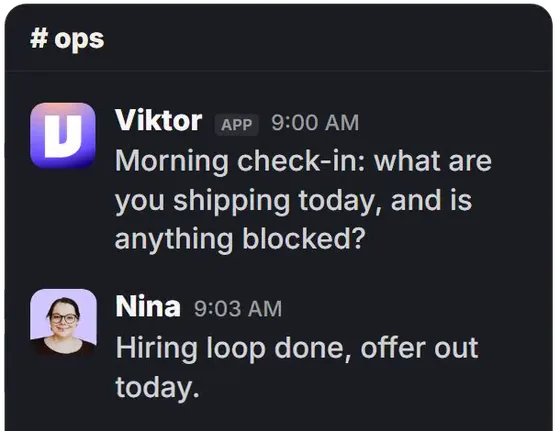
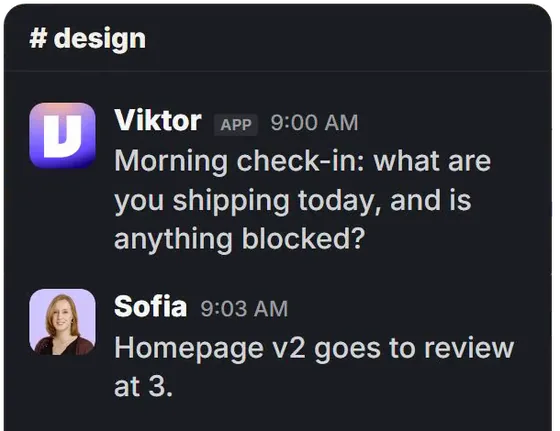
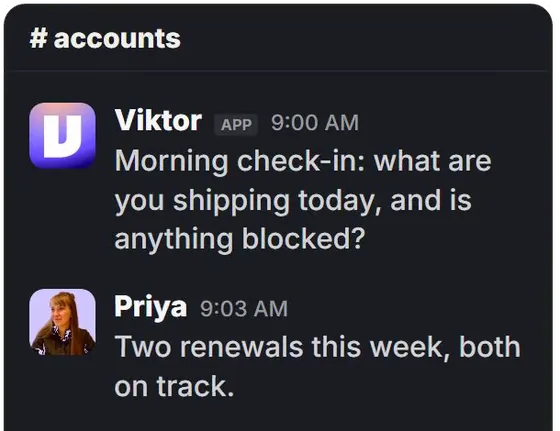
Example: Viktor posts a 9 AM check-in in the design, accounts and ops channels, and each team replies with what they are shipping.

Who is behind, on demand

Ask who is behind. It reads your task records and lists what is done and what is overdue.

Onboarding that starts itself

Sign a new client and it kicks off onboarding with your full checklist.

Client reports, built and sent

At the end of the week it builds every client's report and sends it out.

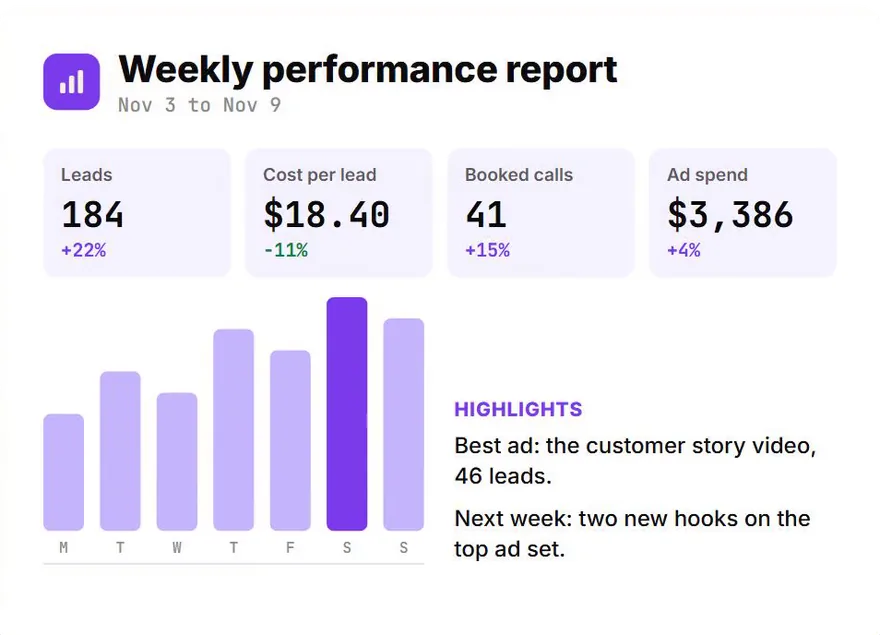
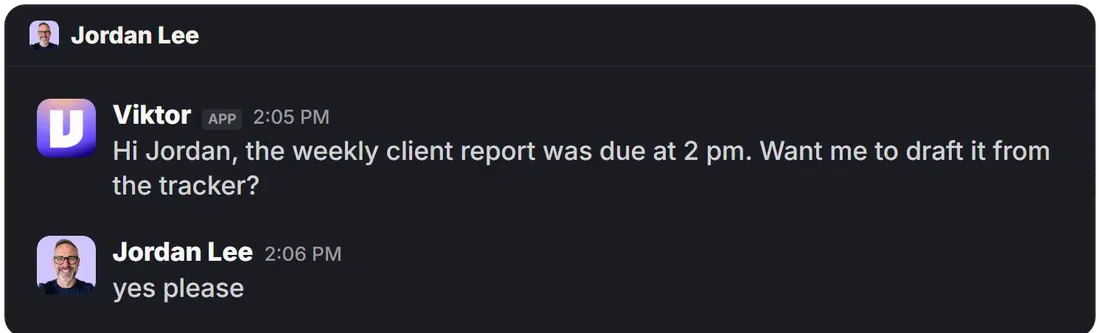
Example weekly performance report with leads, cost per lead, booked calls and ad spend. Viktor messages Jordan: the weekly client report was due at 2 pm, want me to draft it from the tracker? Jordan replies yes please.

Built around how your team works.

Every team runs differently. We build the workflows yours needs.

  • Custom workflows

    Approvals, handoffs, renewals. Whatever your team repeats, we map it and automate it.

  • A leadership view

    The numbers that matter to you, posted where you already look.

  • Answers from your tools

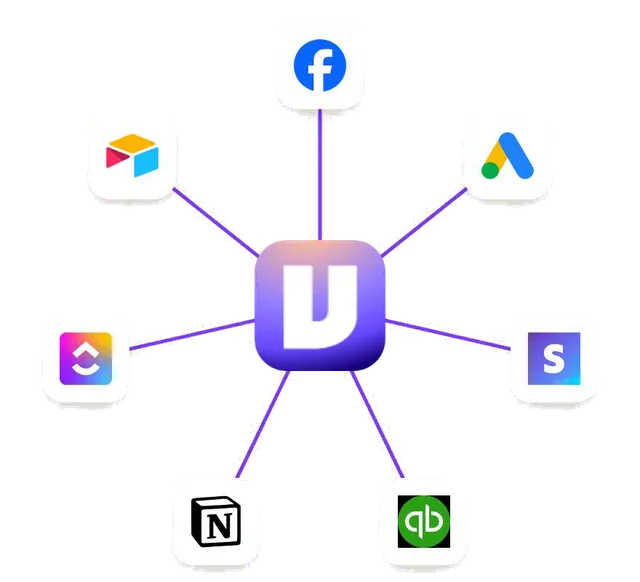
    Ads, sales, tasks and your CRM connected, so it answers with real numbers.

Once it is in, whatever your team handles now, it could handle double. Same team.

We start small.

One real job your team does today.

  1. Call

    We look at how your team runs and pick the first job to automate.

  2. Day 3

    That job is live in your Slack, on your real work.

  3. Day 10

    We hand it over. Your team knows how to use it and how to ask for more.

Good fit

  • Founders and ops leads at agencies and service businesses
  • Teams that work in Slack every day
  • Teams of about 10 to 100 people with clients, projects or tasks to track

Not for

  • Teams on WhatsApp. We set this up in Slack
  • Anyone after a chatbot for their customers
  • Anyone looking for an AI phone agent. We do not build those

See it first. We run it in our own Slack every day. On the call you watch it work live, not on slides.

Questions.

What is an AI chief of staff?

An assistant inside Slack that keeps the team's work moving. It checks in with people, follows up on tasks, starts onboarding, sends client reports and answers questions from your tools. We set it up using Viktor.

What is Viktor?

Viktor is an AI coworker that lives in Slack. Your team messages it like a person. We connect your tools and build the workflows, so it does real jobs from the first week.

How long does it take?

The first job is live in your Slack by day 3 and handed over by day 10. Most teams then add one job at a time.

Does my team have to learn a new tool?

No. It lives in Slack. They message it like a teammate.

Does it replace our ops manager?

No. It works for them. It takes the chasing off their plate, so they spend the day on work only they can do.

We already use Viktor. Can you help?

Yes. We can build the workflows you are missing. If the bill is the problem, that is a different job: see how we cut it.
Pick your first job.

30 minutes. We look at how your team runs and pick the first job together. If it is not a fit, we say so.

Book a call

Live in your Slack by day 3. Handed over by day 10.

Video music: Sascha Ende, ende.app, licensed CC BY 4.0. Sound effects: Kenney. Viktor is a trademark of its owner. Imuvant Media is independent and not affiliated with Viktor.

Like what you see? We pick the first job together.Book a call